Plekje NL

Customers book themselves. You see it in your calendar.

Add your services, share your link and let customers pick a free slot themselves. With a confirmation by email, and rescheduling or cancelling without you having to phone anyone.

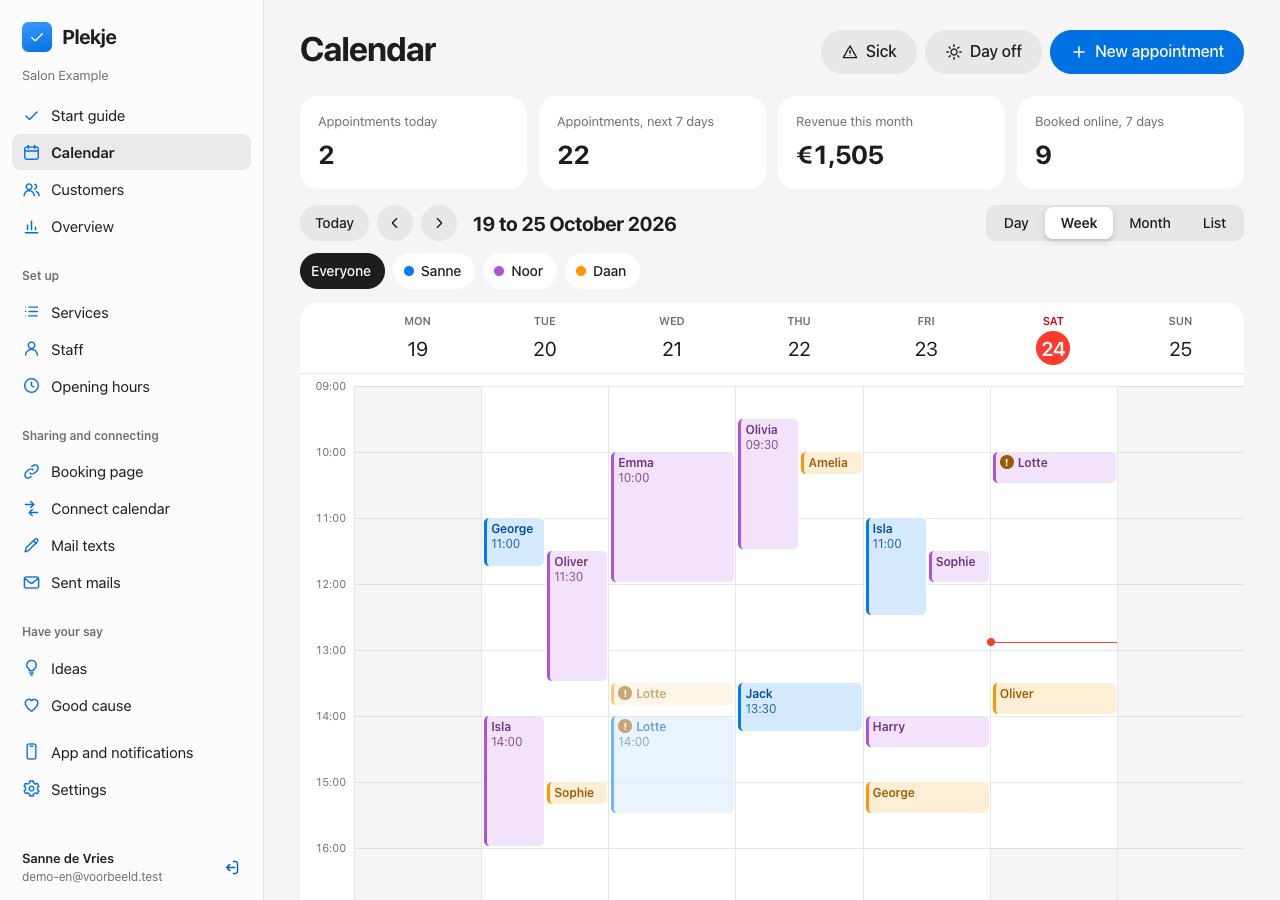
The Plekje calendar on a laptop: a week with the appointments of three staff members, each in their own colour.
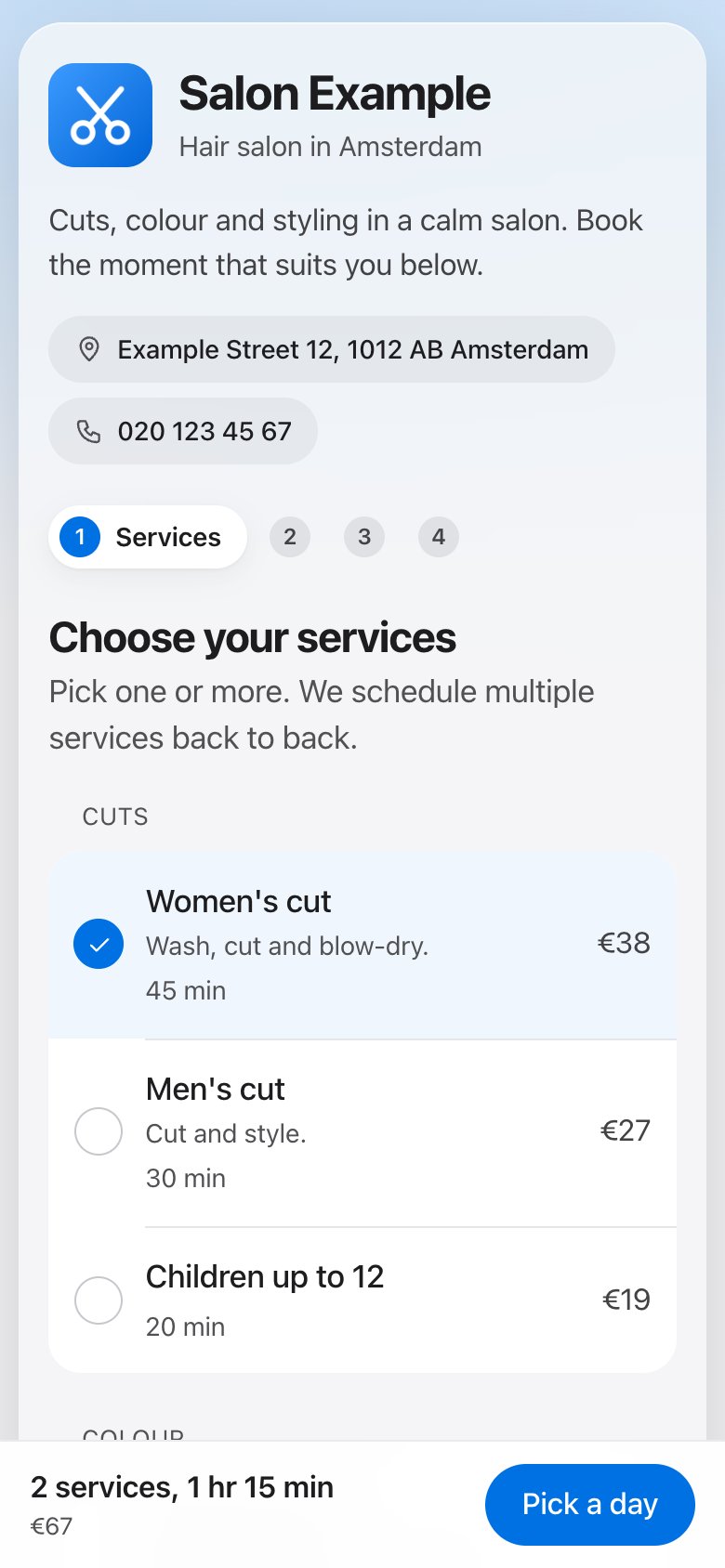
The booking page on an iPhone: the customer picks a free time on Thursday 15 October.

Your calendar is open in three steps.

You do not need a website of your own. Your booking page is ready to share straight away.

This is what it looks like: the customer books in four steps, you manage everything in the app. Just over a minute, without sound.

Step 1

Add your services

Give each service a name, a duration and a price. Set your opening hours and decide who does what.

Step 2

Share your link

Put the link in your Instagram bio, send it on WhatsApp or hang the QR code by the till.

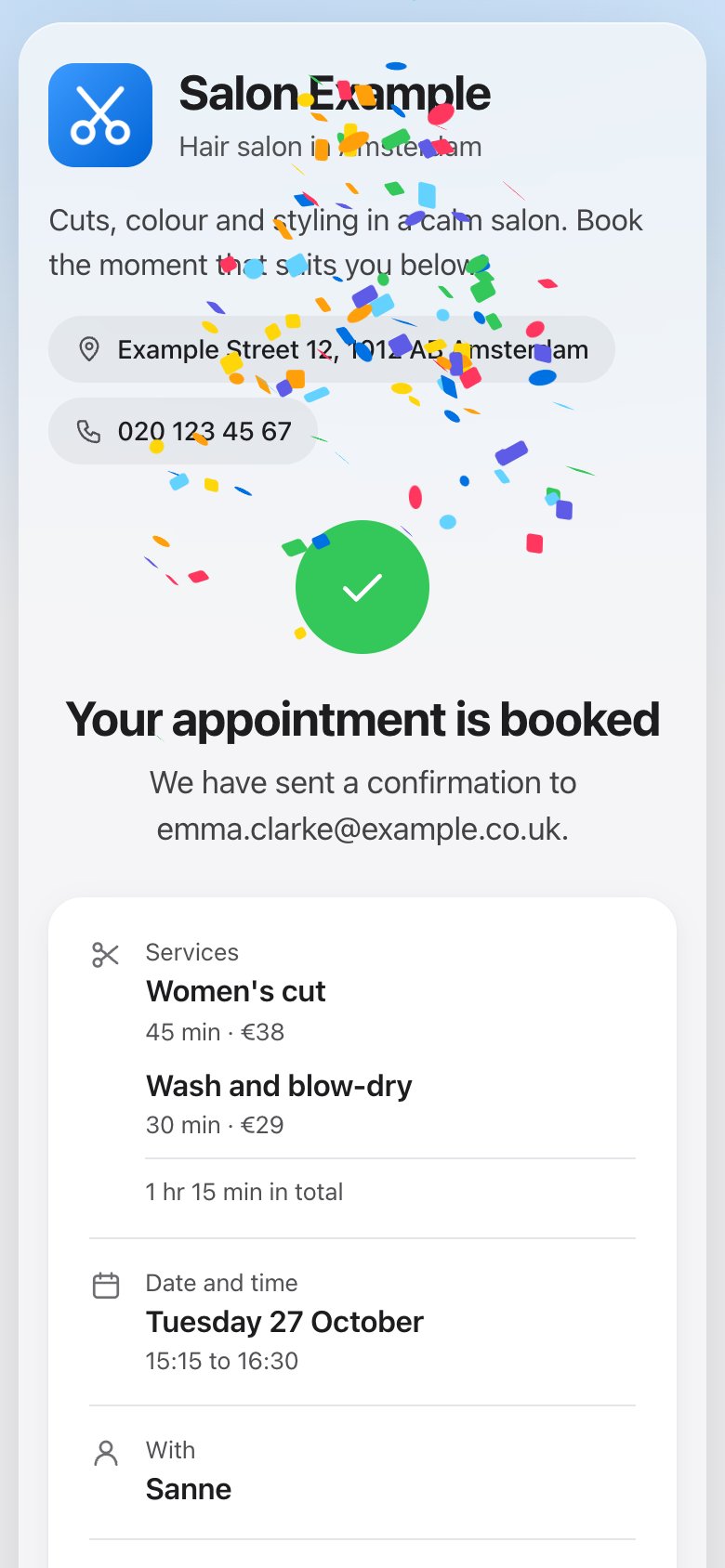
After booking the customer sees: your appointment is confirmed, with confetti.
Step 3

Customers book themselves

They only see the times that are really free. The appointment goes straight into your calendar.

Everything to keep appointments running.

Less messaging back and forth about a time. More time for your work.

For your customer

Booking in four steps. No account, no app.

Your customer picks one or more services, a day and a time, and fills in their name and contact details. A haircut and a colour in one appointment is no problem. Coming together works too: each person then gets their own staff member.

  1. Step 1 on the booking page: the customer picks one or more services, with duration and price.
    Pick servicesOne or several at once.
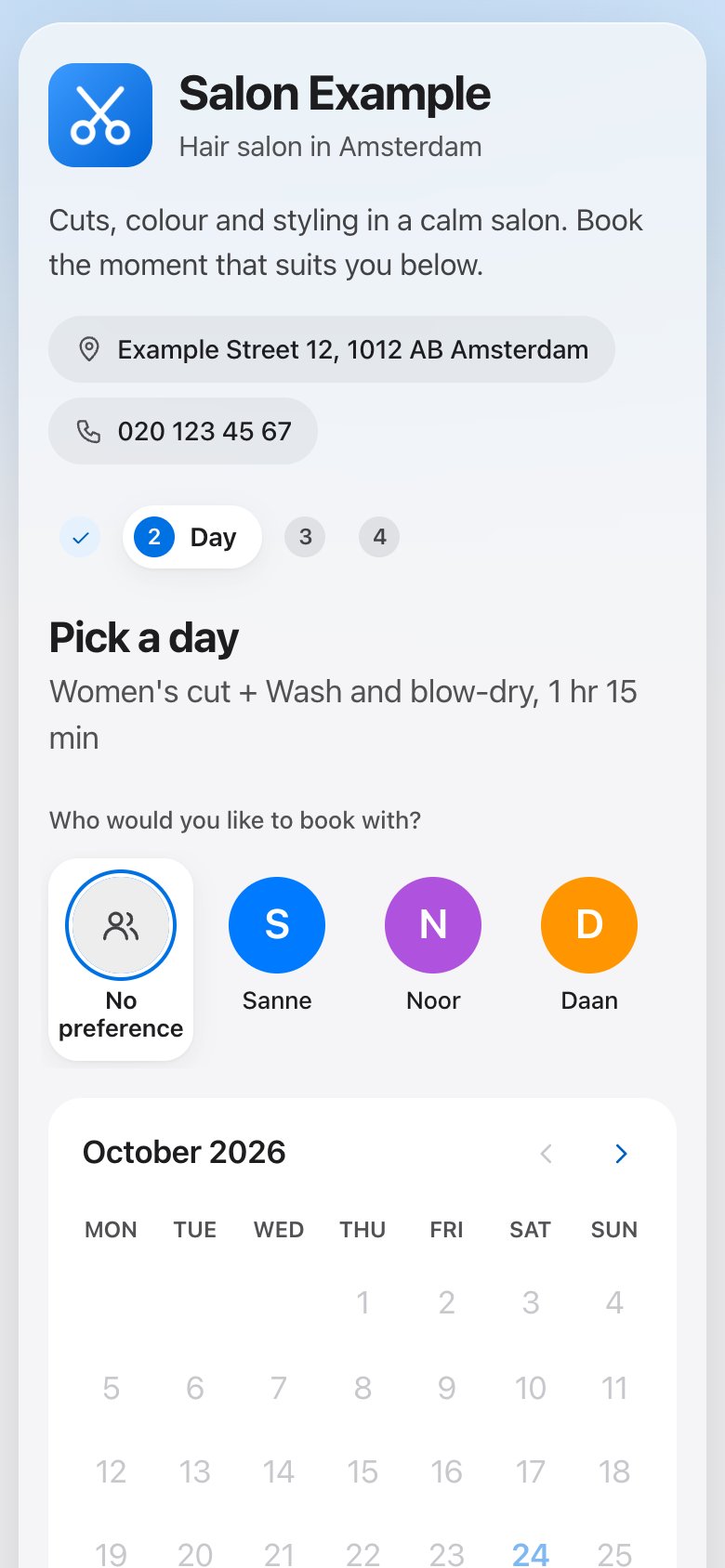
  2. Step 2: the customer picks a day with a free slot.
    Pick a dayOnly days with space.
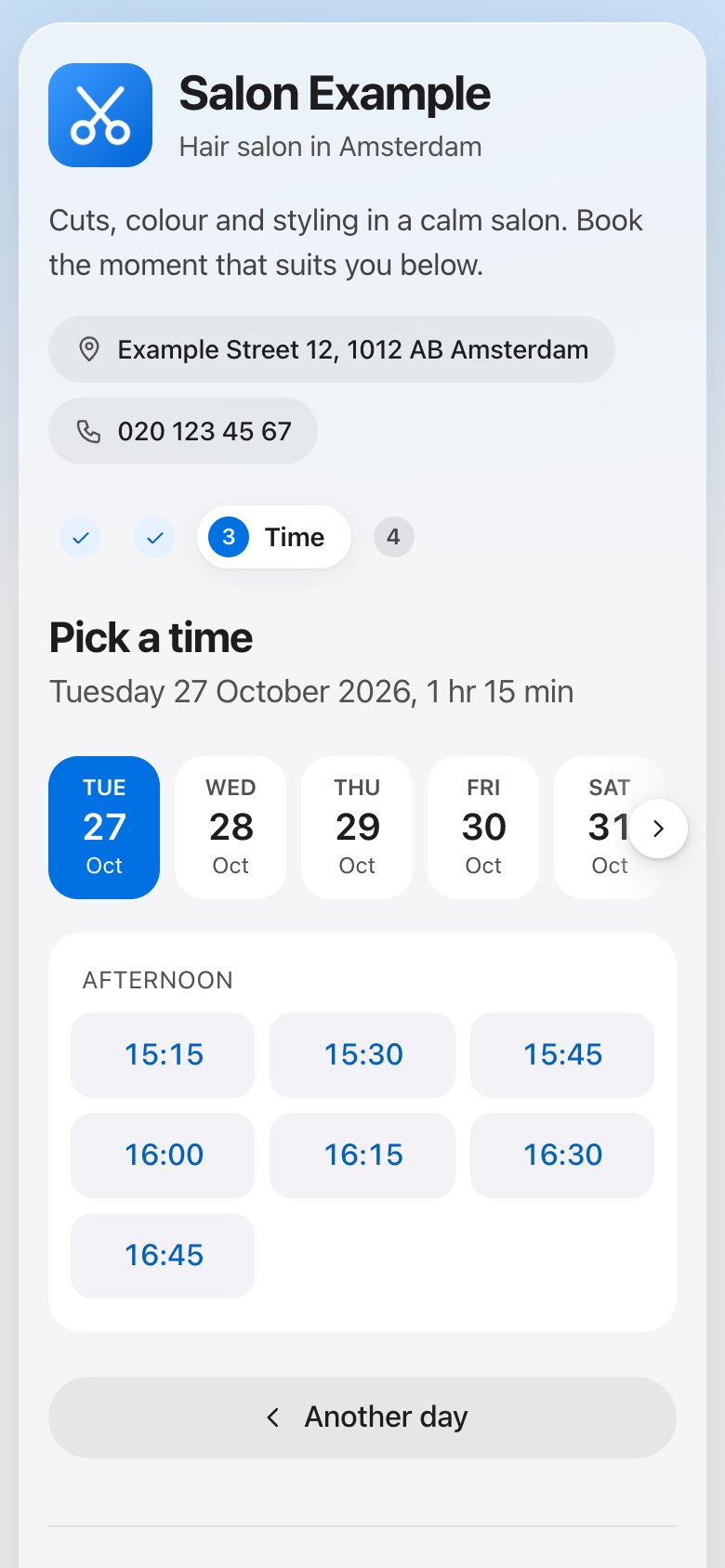
  3. Step 3: the customer picks one of the free times.
    Pick a timeOnly what is really free.
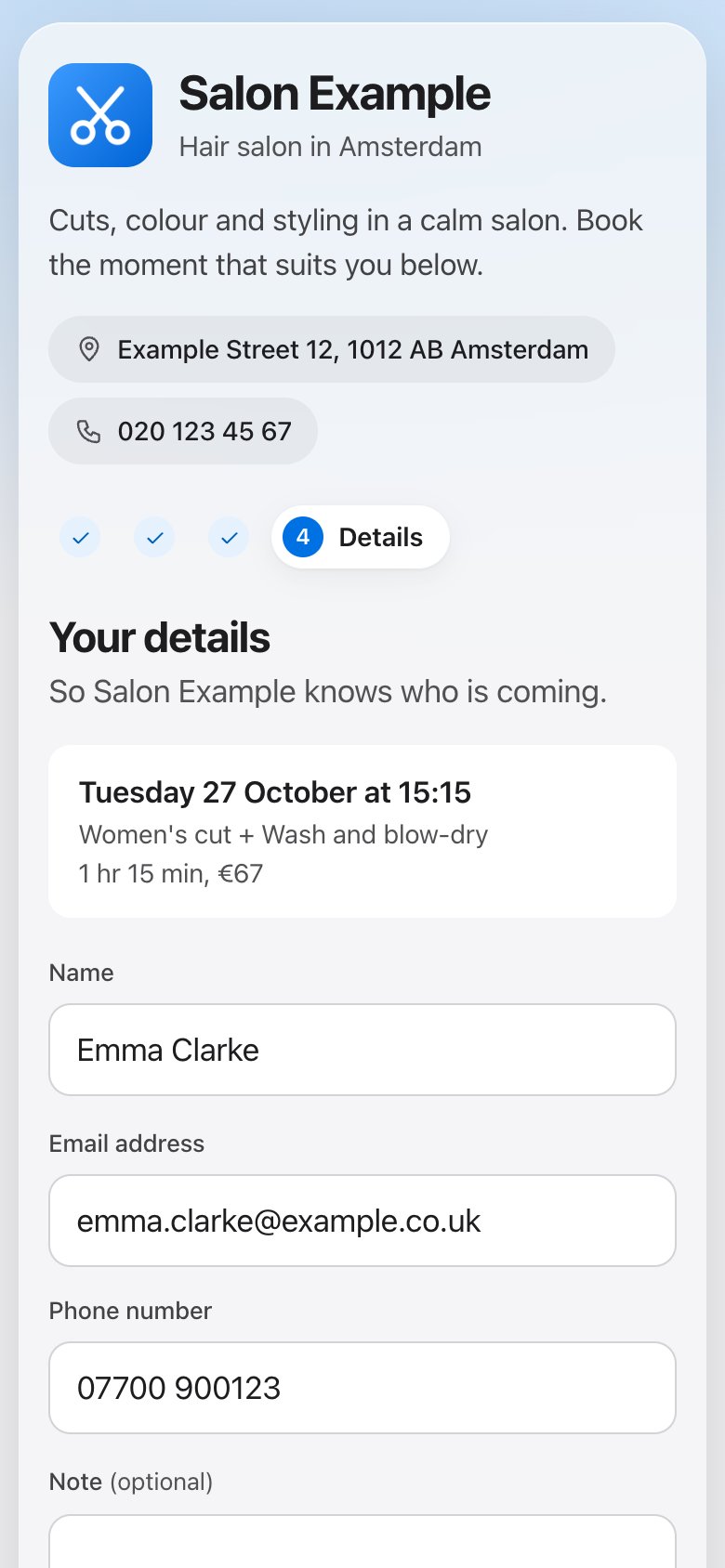
  4. Step 4: the customer fills in their name, email address and phone number.
    Fill in detailsName and contact, nothing more.
  5. The appointment is confirmed: an overview with service, date, time and staff member.
    Appointment confirmedWith an email to follow.
For you

A calendar you read at a glance.

View your day, your week or a list. Move an appointment by dragging it, book in yourself for whoever phones, and keep notes per customer. Each staff member has their own colour.

The week view in the Plekje admin, with appointments per staff member in their own colour.
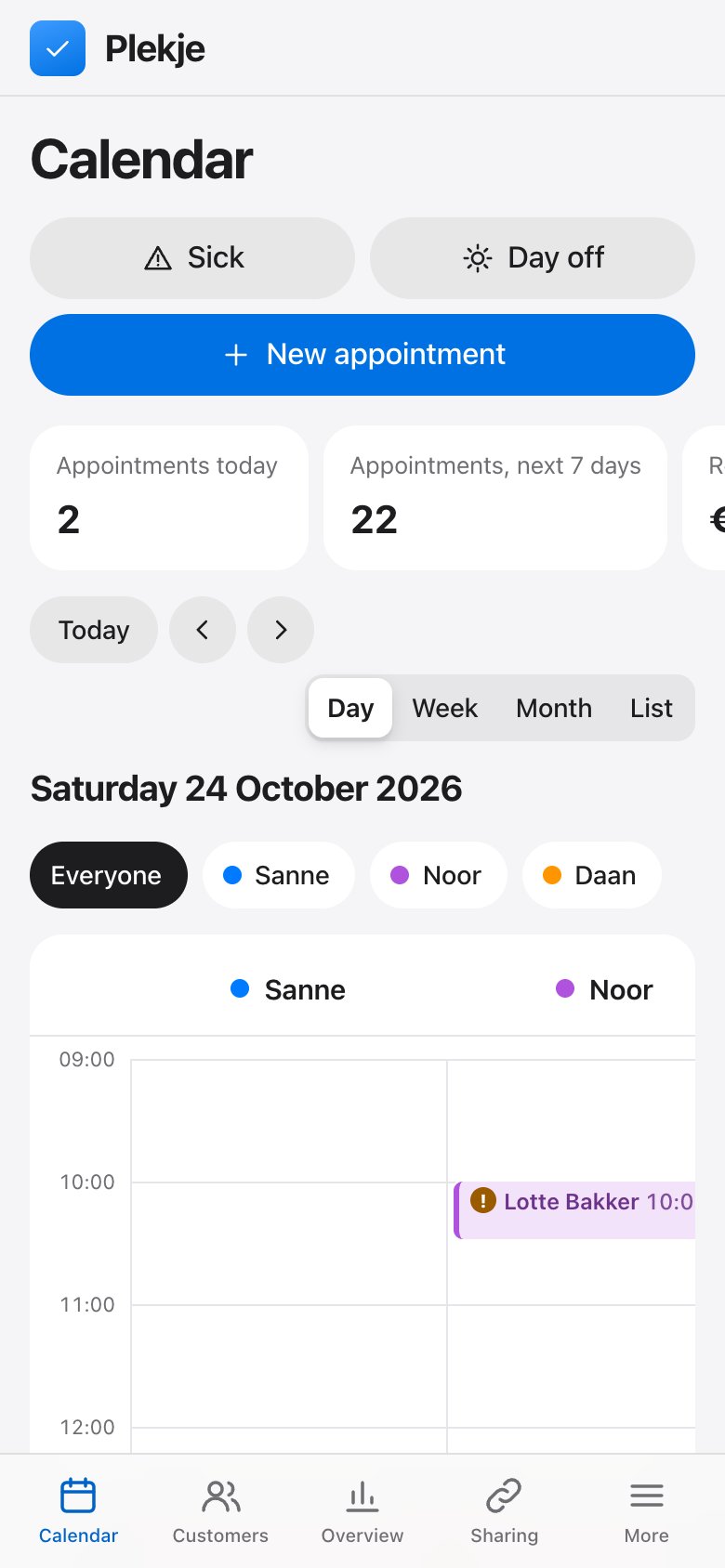
The same calendar on a phone: Wednesday with a column per staff member.
Per customer

A record per customer. With photos, notes and a loyalty card.

What you did, what you used and what the customer wants next time: type it or dictate it, and add photos. Only you can see it. An allergy sits at the top, the loyalty card fills itself with every appointment, and you see how many stars a customer gave.

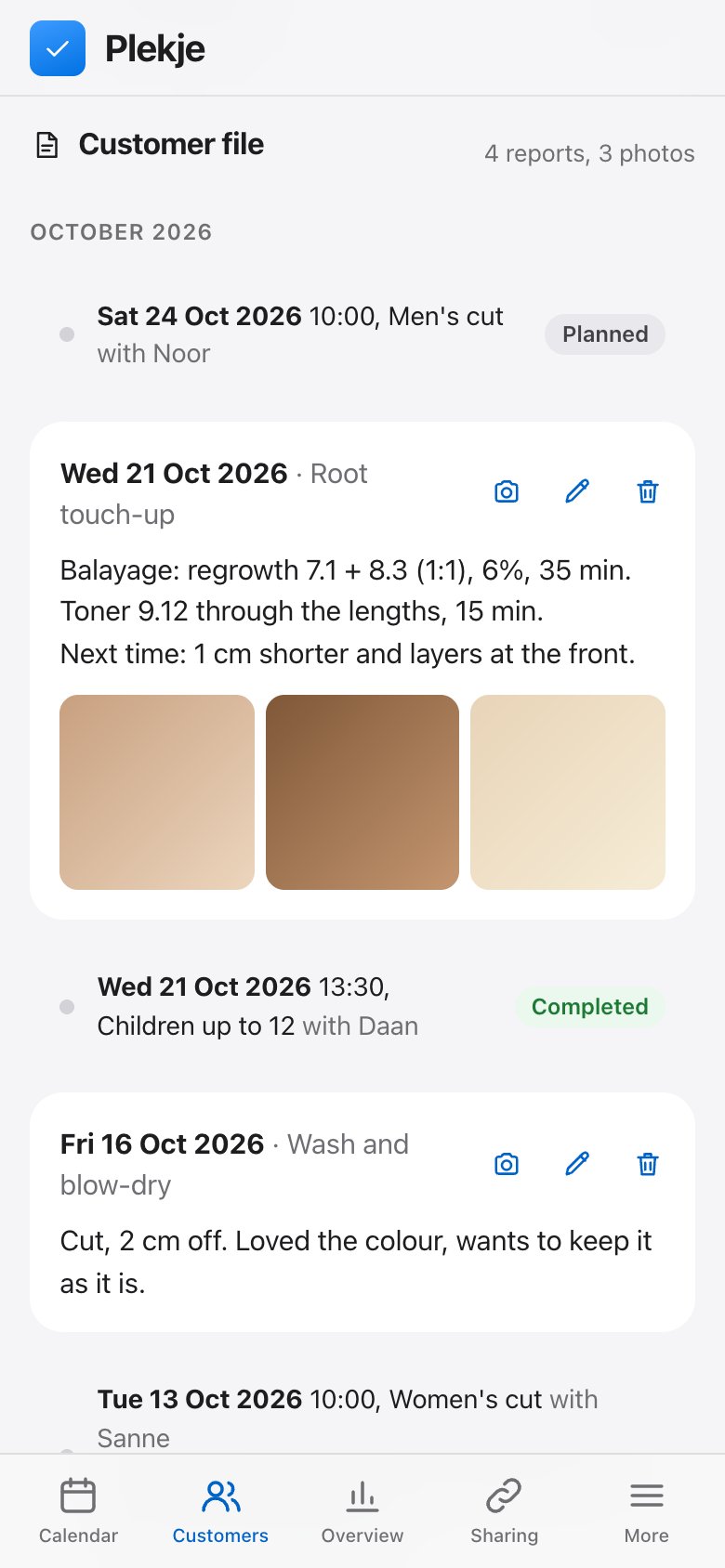
A customer's record: notes on the colour treatment with three photos, and the notes from the time before.
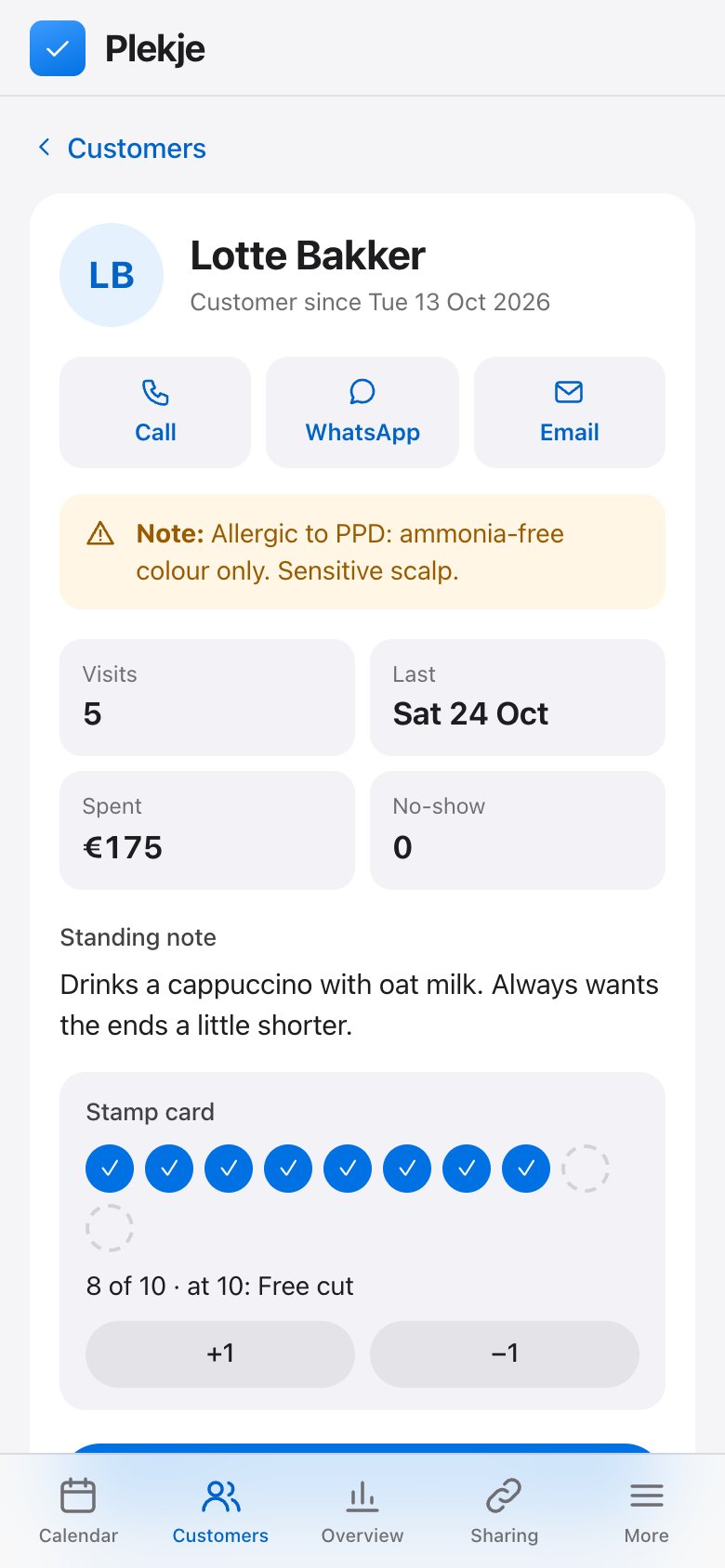
The customer card: call, WhatsApp and email, an allergy warning, visits and spend, and the loyalty card with 7 of 10 stamps.
Emails

Emails in your own style.

Confirmation, reminder, change and cancellation in your own words, with your logo, your colour and your sign-off. You see straight away how the email arrives for your customer.

Automatic

A gap in your calendar fills itself.

If someone cancels, customers with an appointment in the days after are automatically asked whether they would like to come earlier. Whoever says yes first is moved. You do not have to phone anyone.

Book anywhere

Booking on your own website.

One line of code puts a button or your calendar on your own site, including Shopify, WordPress and Wix. With QR posters, counter cards and stickers to print.

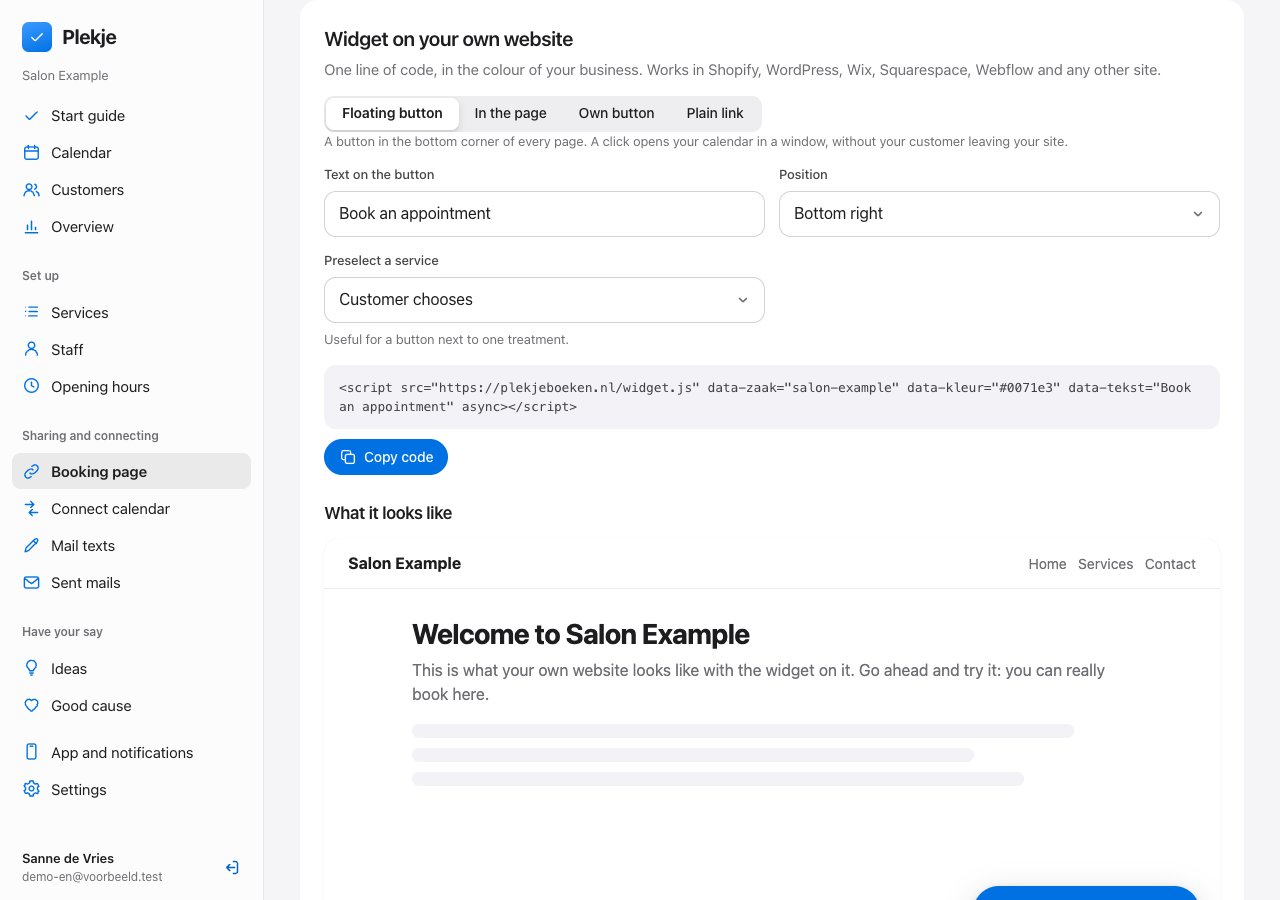
The widget in the admin: choose the text and position of the button, copy the code and see straight away how the button looks on your site.
On your phone

The app for iPhone and Android. With a notification for every booking.

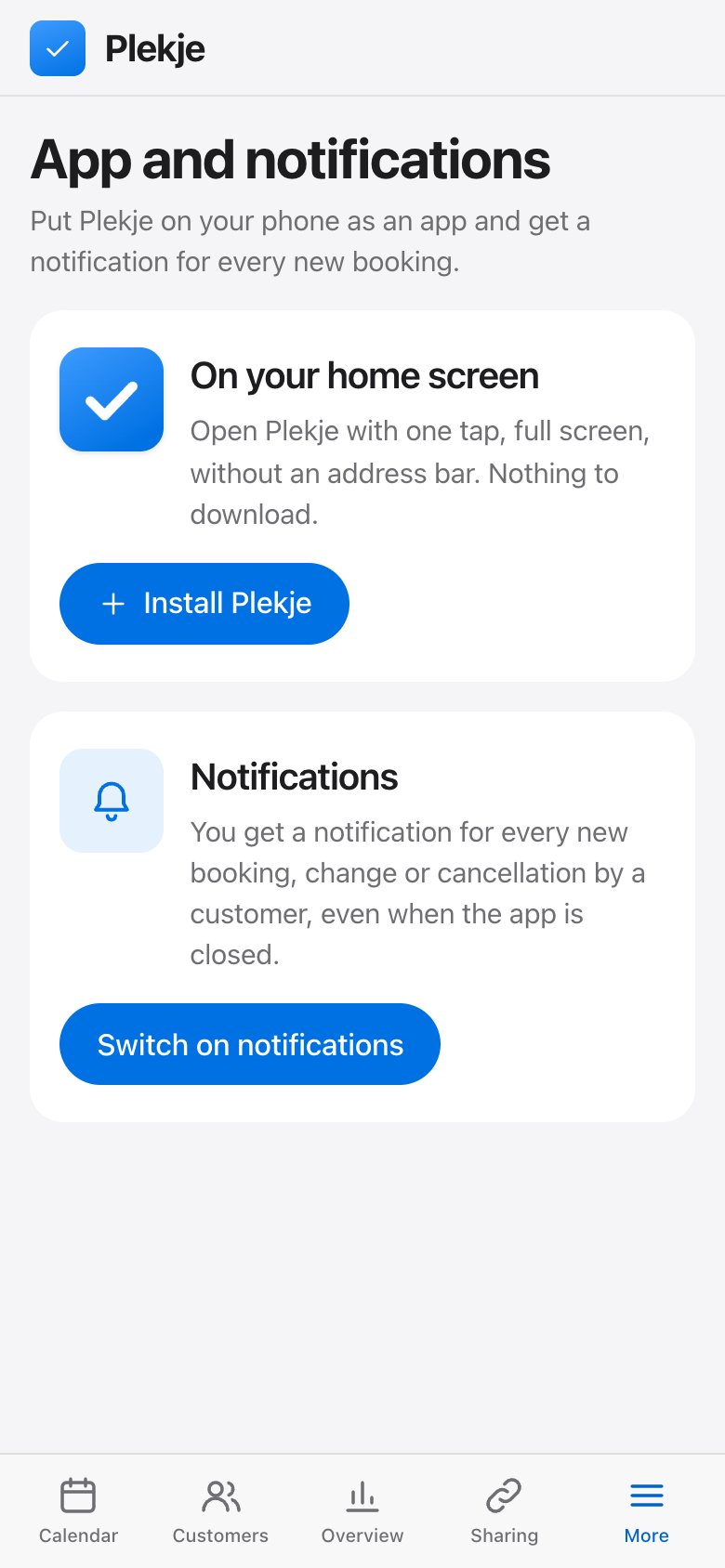
Download Plekje from the App Store or Google Play. You get a notification for every new booking, change or cancellation, even when the app is closed. Rather not download anything? Then put Plekje on the home screen of your phone with one tap.

The App and notifications screen: install Plekje on your home screen and turn on notifications.

And more.

Confirmation and reminder, automatically

Your customer gets an email with all the details straight away, and a reminder beforehand. You get a notification for every new booking, change and cancellation.

Reschedule or cancel themselves

Through the link in the confirmation, the customer sorts it out themselves, up to the notice period you set.

Services with duration and price

Group them by category, add buffer time for tidying up, and switch a service off temporarily.

Your own page on Plekje

A page with your services, prices, opening hours, team and customer ratings, and a place in the listings per trade and town.

Your team, at no extra cost

As many staff members as you like, each with their own login, photo, services, working hours and colour. You see all calendars and the week overview; a staff member sees only their own.

Your rules

Opening hours with breaks, days off and public holidays, how far ahead and how close to the time bookings are allowed.

Your page, your look

Choose your own logo, colour and background, or use a photo of your business.

Classes and workshops

Set how many people can take part at once. Customers join until the class is full and see how many places are left.

A fair no-show policy

Ask for a deposit only from those who did not turn up before, through your own Mollie account. New and loyal customers simply book without one.

Reviews, requested automatically

A few hours after the appointment your customer gets an email with five stars. From four stars the customer goes on to your Google page; if it is less, it comes to you.

Come-back reminder

If a customer has not been back after the period you set, they get a friendly email with a booking link. When you finish an appointment, you suggest the next one straight away.

Waiting list per day

If a day is full, the customer leaves their name and email. If a slot opens up that day, everyone on the list gets an email. Whoever books first has the slot.

Loyalty card

Every appointment is a stamp; you decide at how many the reward comes. The count is in the confirmation email and on the customer card.

Sick? One button

Clear one or more days in one go, for yourself or a staff member. All customers get an email with the reason and a button to pick a new time.

You help decide what comes next

Missing something? Submit your idea and vote on the ideas of other business owners. Once we schedule an idea, it is live within a week.

Works with the calendar you already use.

Google Calendar, Microsoft Outlook and Apple Calendar.

  • Your appointments in your own calendar. New bookings appear in your calendar automatically, including on your phone.
  • Never double-booked. Already have something in your own calendar? Then a customer cannot book at that time.
  • Per staff member. Everyone links their own calendar, so only their own times are blocked.
Google CalendarSee appointments and block busy times
Linked
Microsoft OutlookSee appointments and block busy times
Linked
Apple CalendarSubscribe to your appointments
Linked

€29.95 a month. €10 to charity.

The first 30 days you try Plekje for free. After that you pay €29.95 a month excl. VAT, with as many staff members as you like. Of that, €10 goes to a charity you choose; the other €19.95 is for the further development and running costs of Plekje.

  1. Choose your charityIn your admin, under Charity, from major charities in the Netherlands and worldwide.
  2. Pay €29.95 a monthExcl. VAT, after 30 days free trial. The first time by iDEAL or another payment method, after that automatically.
  3. €10 to your charityEvery month we transfer €10 to the charity you chose. Here you see how much we have given together.

You can choose a different charity at any time. You can cancel every month.

In the Netherlands

  • KWF Kankerbestrijding
  • Hartstichting
  • Natuurmonumenten
  • Leger des Heils
  • Voedselbanken Nederland
  • Alzheimer Nederland
  • Diabetes Fonds
  • KNRM
  • Prinses Beatrix Spierfonds
  • Ronald McDonald Kinderfonds
  • Stichting Salaam

Worldwide

  • Médecins Sans Frontières
  • UNICEF
  • Red Cross
  • World Wide Fund for Nature (WWF)
  • Save the Children
  • World Vision
  • Plan International
  • Oxfam Novib
  • Amnesty International
  • SOS Children's Villages
  • Islamic Relief Nederland

Good to know.

What does Plekje cost?

Nothing for the first 30 days. After that €29.95 a month excl. VAT, with all features included and as many staff members as you like. Of every €29.95, €10 goes to a charity you choose; the other €19.95 is for further development and running costs. You can cancel every month.

How does the charity work?

In your admin, under Charity, you choose a charity in the Netherlands or worldwide. The first month (€36.24 including VAT) you pay by iDEAL or another payment method; after that €36.24 is taken every month by direct debit. Every month we transfer €10 of that to your charity and we keep track of how much has been given per charity. You can choose a different charity at any time. If the payment stops, customers can no longer book online after 7 days; your appointments stay where they are.

Does my customer need an account or an app?

No. Your customer opens your link, picks a service and a time, and fills in their name and contact details. That is all.

Can a customer change or cancel their appointment themselves?

Yes. The confirmation email contains a personal link. With it the customer can move or cancel the appointment, up to the notice period you set. You get a notification when they do.

Can I book appointments myself too?

Yes. If someone phones or a customer is standing in your shop, you put the appointment in the calendar yourself. You choose whether the customer gets a confirmation.

What if two people pick the same time at once?

Then the first gets the time and the second immediately sees the times that are still free. Double bookings cannot happen.

What happens when a customer cancels?

The time becomes free again on your booking page straight away. If you have it switched on, customers with an appointment in the days after are asked by email whether they would like that free slot. Whoever says yes first is moved automatically; the others hear that the slot has been taken. So your calendar stays full without you phoning anyone.

Can I ask for a deposit?

Yes, through your own Mollie account. You choose whether you ask everyone or only customers who did not turn up before without cancelling. The slot is held while the customer pays; if they do not pay, the slot becomes free again automatically. If the customer cancels in time, the amount is refunded.

Can a customer book several services or for several people at once?

Yes. Your customer first picks one or more services, then a day and then a time. Several services are scheduled one after the other. If your customer comes with more people, each gets their own staff member at the same time. For a class or workshop you set how many places there are.

What happens to my ideas and wishes?

In your admin you submit an idea and vote on the ideas of other business owners. Once we schedule an idea, it is live within a week. What has been built you can read on the page New in Plekje.
Does it work on my phone and tablet?

Yes. Both your booking page and your own calendar work on phone, tablet and computer, without installing anything.

Is Plekje available in English?

Your booking page, the appointment page and the emails to your customers are available in English and Dutch; customers see their own language. The admin where you manage your calendar is in Dutch for now.

Put your booking page online today.

Create an account, add your services and share your link. The first 30 days are free.

Create your booking page